



We are a Technology based Master Distributor for DIRECTV. We believe that only when there is a win win system in place the sales machine can work. With a complete understanding of the sales ecosystem, SkyNeeds provides dealers and distributors with products and services that are high in demand and extremely useful for consumers while bringing HIGH profits to their distribution channel. We appreciate our distribution partners; thus, we strive to provide dealers with essential tools needed to succeed. We believe in simplicity and effectiveness.
SkyNeeds is a DIRECTV Authorized Dealer selling DIRECTV STREAMSM, DIRECTV Satellite TV, AT&T Internet, and AT&T Wireless services.

GET YOUR TV TOGETHER
The best of Live TV & On Demand on all your favorite screens with access to streaming apps. No annual contract required.

DON'T JUST KINDA TV. DIRECTV.
Access 80,000+ shows and movies On Demand.1 Watch virtually anytime, anywhere.
1Separate subscription/login required for 3rd party app content.

2Limited availability. May not be available in your area. Call to see if you qualify. Based on combined upload and download capacity of Internet 300, Internet 500 and Internet 1000 vs. Xfinity, Spectrum & Cox 400M, 500M, 600M, 1GIG and 1.2GIG cable service with uploads of 10, 20 and 35mbps. Download max typically 940Mbps for Internet 1000. Speeds vary, not guaranteed.

UNLIMITED YOUR WAY™.3
Pick the perfect unlimited plan for each member of your family.
3AT&T may temporarily slow data speeds if the network is busy.
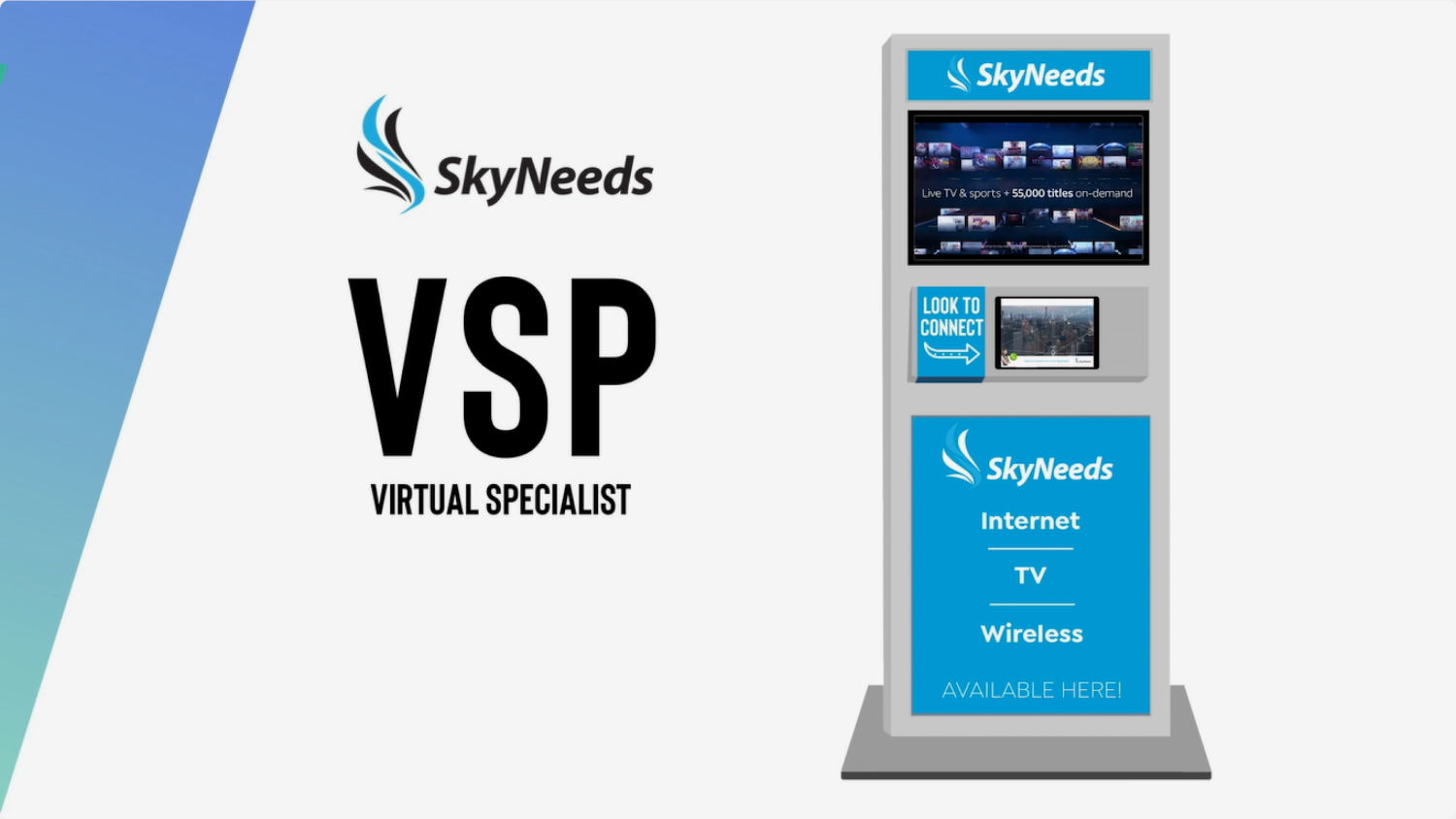
A Virtual Sales Person (VSP) is a remote live sales rep that strategically positions and closes sales to your customers. If there are a lack of sales reps on location or lack of product/service experts, customers can do a video call with one of our sales reps whom are well-trained and have the most updated knowledge about products and services. We offer our VSP in a form of a Kiosk.

Our Kiosk includes a Digital Display and a Tablet.

The Digital Display can display real time products and promotional information.

All products and promotional information shown on the Digital Display are updated and approved by our service providers, manufacturers, and dealers.

The Tablet that runs our VSP app with our ‘Look to Connect’ technology is where you will see our Virtual Sales Person.

Customer starts a call

Customer gets connected to a Virtual Sales Rep
Virtual Sales Rep assist the customer and takes the order
Customer ends the call
Customer leaves a review
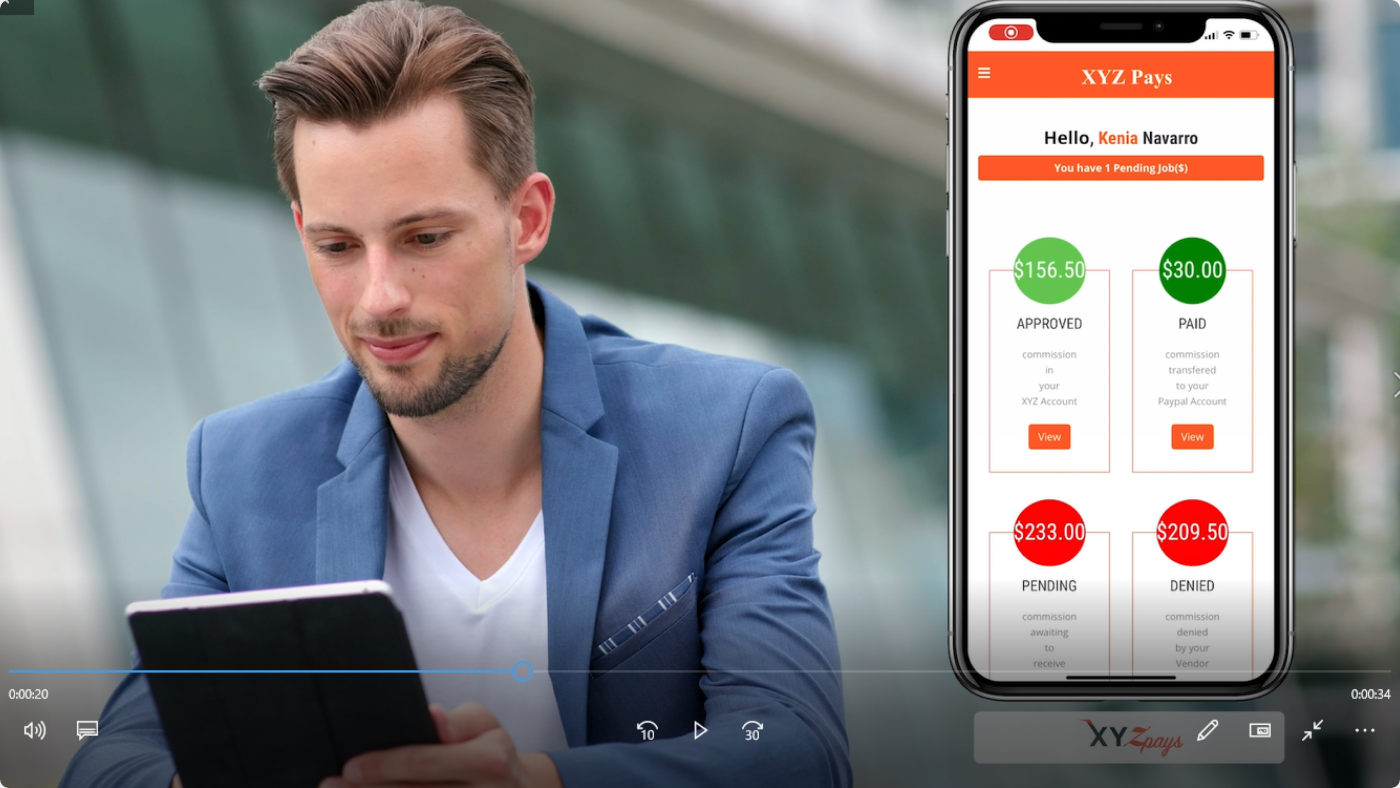
XYZPays app is connecting sales to commissions in real time.
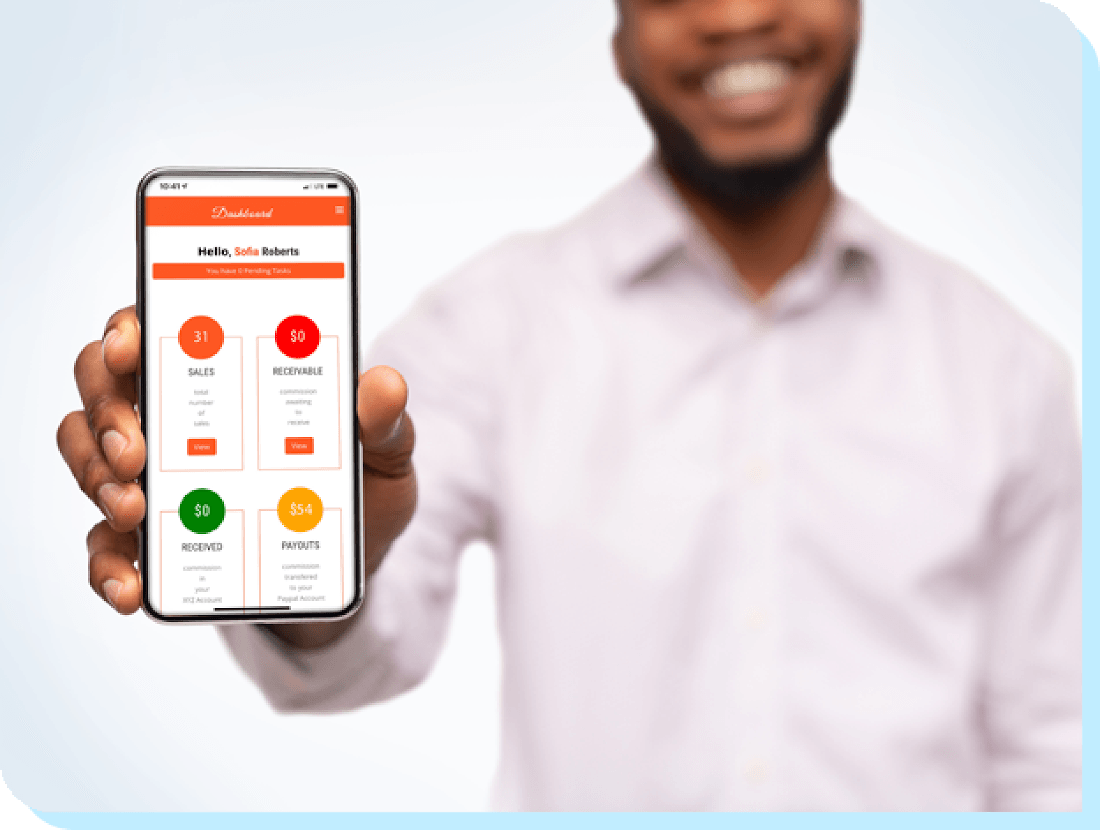

Sales reps can take products and services trainings within the app that will allow them to get instant incentives.
All sales and promotions within the app are updated and approved by our service providers, manufacturers, and retailers in real time.

Your customers can meet with our Virtual Specialist anywhere, anytime, always.
Face to face experiences for your business with a single click by scanning QR Code.
Record all your interaction in See the Pro cloud.

Put your business online with See the Pro system.

Now you can educate your clients about the products and services you are selling in Real time online.

A virtual selling way by streaming a video of your store to your customers.

Once you sign up, we’ll claim your Google Business location to drive more traffic to your business.

Scanning the QR Code or clicking the URL, your clients will connect with you instantly.

Recorded Messaging so you can review every call is professional.

Share your screen, do virtual visits or show your products online.

If your team cannot take the calls, we can do it for you!
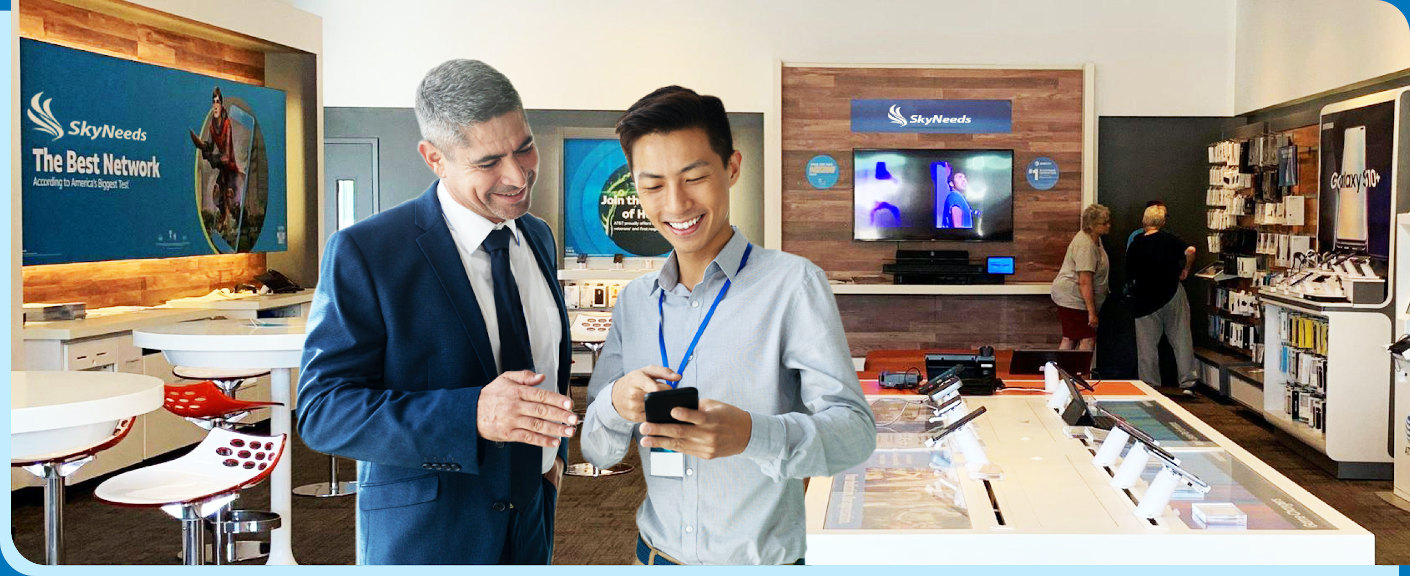
We provide technological tool to make sales easier, grow your revenue and become part of your sales team. By providing webinars and support, we want to ensure you are successful. Incentives and commissions are paid on demand through XYZPays app!

Become an authorized dealer with us today and start earning high commissions!
DIRECTV STREAM Disclaimers:
DIRECTV STREAM: Requires high speed internet. Minimum internet speed of 8Mbps per stream recommended for optimal viewing. Service subject to DIRECTV STREAM terms and conditions (see directv.com/legal/). Compatible device required. Residential U.S. customers only (excludes Puerto Rico and U.S. Virgin Islands). Your DIRECTV STREAM service renews monthly at the prevailing rate, charged to your payment method on file unless you cancel. Once you’ve canceled, you can access DIRECTV STREAM through the remaining monthly period. New customers who cancel service in the first 14 days will receive a full refund. Otherwise, no refunds or credits for any partial-month periods or unwatched content. Returning customers who disconnected service within previous 12 months are not eligible for a refund. Limits: Offers may not be available through all channels and in select areas. Programming subject to blackout restrictions. Pricing, channels, features, and terms are subject to change & may be modified or discontinued at any time without notice. See directv.com/stream/ for details.
DIRECTV: $19.95 ACTIVATION, EARLY TERMINATION FEE OF $20/MO. FOR EACH MONTH REMAINING ON AGMT., EQUIPMENT NON-RETURN & ADD’L FEES APPLY. New approved residential customers only (equipment lease req’d). Credit card req’d (except MA & PA). Restrictions apply..
DIRECTV General Disclaimers
DIRECTV SVC TERMS: Subject to Equipment Lease & Customer Agreements. Must maintain a min. base TV pkg of $29.99/mo. Programming, pricing, terms and conditions subject to change at any time. Some offers may not be available through all channels and in select areas. Visit directv.com/legal/ or call for details.
Internet General Disclaimers:
INTERNET SVC: Subj. to Internet Terms of Service at att.com/internet-terms.
Wireless General Disclaimers:
ALL UNLIMITED PLANS: All AT&T wireless services subject to terms and conditions in the Wireless Customer Agreement (att.com/wca). Advertised monthly price includes monthly plan charge for talk, text and data & monthly per-line phone access charge for access to such services. OTHER RESTRICTIONS & FEES: Activation/upgrade fee per line (up to $45) & deposit may apply. AUTOPAY & PAPERLESS BILL DISCOUNT: Monthly discount off plan charge ($10 per phone line) when account active & enrolled in both. Discount starts w/in 2 bill cycles. Credit card may be required (except for MA, PA and ND). Pay full plan cost until discount starts. UNLIMITED DATA: For use in the United States (the “Domestic Coverage Area” or “DCA”), Mexico and Canada. 2G off-net data speeds may apply. All AT&T service is subject to AT&T network management policies. See att.com/broadbandinfo for details. UNLIMITED TALK: Phones only. Includes calls w/in and between DCA, Mexico & Canada. You may be charged for calls to special or premium service numbers and calls to other countries For rates, see att.com/worldconnect. UNLIMITED TEXT: Compatible phone and rate plan required. Includes unlimited messages up to 1MB in size within and from DCA, Mexico and Canada. For texting to other countries, see att.com/text2world. Messages sent through applications may incur data or other charges. Advanced Messaging: Not available for use in Mexico and Canada. Other restrictions apply & can be found at att.com/advancedmessaging. 5G SERVICE: Requires a compatible 5G device. 5G service is not available everywhere. See att.com/5Gforyou for details. LIMITS: Select devices only (sold separately). Max 10 devices/plan. AT&T Wireless Internet, select Wireless Home Phone devices, dedicated mobile hotspot devices, and select laptop air cards are not eligible for these plans. ADDITIONAL MONTHLY FEES & TAXES: Apply per line & include Regulatory Cost Recovery Fee (up to $1.50), Administrative Fee ($1.99) & other fees which are not government-required surcharges as well as taxes. Additional one-time Fees may apply. See att.com/mobilityfees for more details.
All offers, programming, promotions, pricing, terms, restrictions & conditions subject to change & may be modified, discontinued, or terminated at any time without notice.
AT&T Copyright:
©2021 DIRECTV. DIRECTV and DIRECTV STREAM are trademarks of DIRECTV, LLC. AT&T and Globe logo are trademarks of AT&T Intellectual Property. All other marks are the property of their respective owners.
SkyNeeds
We firmly believe that the internet should be available and accessible to anyone, and are committed to providing a website that is accessible to the widest possible audience, regardless of circumstance and ability.
To fulfill this, we aim to adhere as strictly as possible to the World Wide Web Consortium’s (W3C) Web Content Accessibility Guidelines 2.1 (WCAG 2.1) at the AA level. These guidelines explain how to make web content accessible to people with a wide array of disabilities. Complying with those guidelines helps us ensure that the website is accessible to all people: blind people, people with motor impairments, visual impairment, cognitive disabilities, and more.
This website utilizes various technologies that are meant to make it as accessible as possible at all times. We utilize an accessibility interface that allows persons with specific disabilities to adjust the website’s UI (user interface) and design it to their personal needs.
Additionally, the website utilizes an AI-based application that runs in the background and optimizes its accessibility level constantly. This application remediates the website’s HTML, adapts Its functionality and behavior for screen-readers used by the blind users, and for keyboard functions used by individuals with motor impairments.
If you’ve found a malfunction or have ideas for improvement, we’ll be happy to hear from you. You can reach out to the website’s operators by using the following email
Our website implements the ARIA attributes (Accessible Rich Internet Applications) technique, alongside various different behavioral changes, to ensure blind users visiting with screen-readers are able to read, comprehend, and enjoy the website’s functions. As soon as a user with a screen-reader enters your site, they immediately receive a prompt to enter the Screen-Reader Profile so they can browse and operate your site effectively. Here’s how our website covers some of the most important screen-reader requirements, alongside console screenshots of code examples:
Screen-reader optimization: we run a background process that learns the website’s components from top to bottom, to ensure ongoing compliance even when updating the website. In this process, we provide screen-readers with meaningful data using the ARIA set of attributes. For example, we provide accurate form labels; descriptions for actionable icons (social media icons, search icons, cart icons, etc.); validation guidance for form inputs; element roles such as buttons, menus, modal dialogues (popups), and others. Additionally, the background process scans all the website’s images and provides an accurate and meaningful image-object-recognition-based description as an ALT (alternate text) tag for images that are not described. It will also extract texts that are embedded within the image, using an OCR (optical character recognition) technology. To turn on screen-reader adjustments at any time, users need only to press the Alt+1 keyboard combination. Screen-reader users also get automatic announcements to turn the Screen-reader mode on as soon as they enter the website.
These adjustments are compatible with all popular screen readers, including JAWS and NVDA.
Keyboard navigation optimization: The background process also adjusts the website’s HTML, and adds various behaviors using JavaScript code to make the website operable by the keyboard. This includes the ability to navigate the website using the Tab and Shift+Tab keys, operate dropdowns with the arrow keys, close them with Esc, trigger buttons and links using the Enter key, navigate between radio and checkbox elements using the arrow keys, and fill them in with the Spacebar or Enter key.Additionally, keyboard users will find quick-navigation and content-skip menus, available at any time by clicking Alt+1, or as the first elements of the site while navigating with the keyboard. The background process also handles triggered popups by moving the keyboard focus towards them as soon as they appear, and not allow the focus drift outside it.
Users can also use shortcuts such as “M” (menus), “H” (headings), “F” (forms), “B” (buttons), and “G” (graphics) to jump to specific elements.
We aim to support the widest array of browsers and assistive technologies as possible, so our users can choose the best fitting tools for them, with as few limitations as possible. Therefore, we have worked very hard to be able to support all major systems that comprise over 95% of the user market share including Google Chrome, Mozilla Firefox, Apple Safari, Opera and Microsoft Edge, JAWS and NVDA (screen readers).
Despite our very best efforts to allow anybody to adjust the website to their needs. There may still be pages or sections that are not fully accessible, are in the process of becoming accessible, or are lacking an adequate technological solution to make them accessible. Still, we are continually improving our accessibility, adding, updating and improving its options and features, and developing and adopting new technologies. All this is meant to reach the optimal level of accessibility, following technological advancements. For any assistance, please reach out to